
The complete inventory workflow on iPhone.
This page walks through the five stages every job moves through, from the new-job form to the signed PDF. Every screen below is from the shipping app.
STEP 1 OF 5
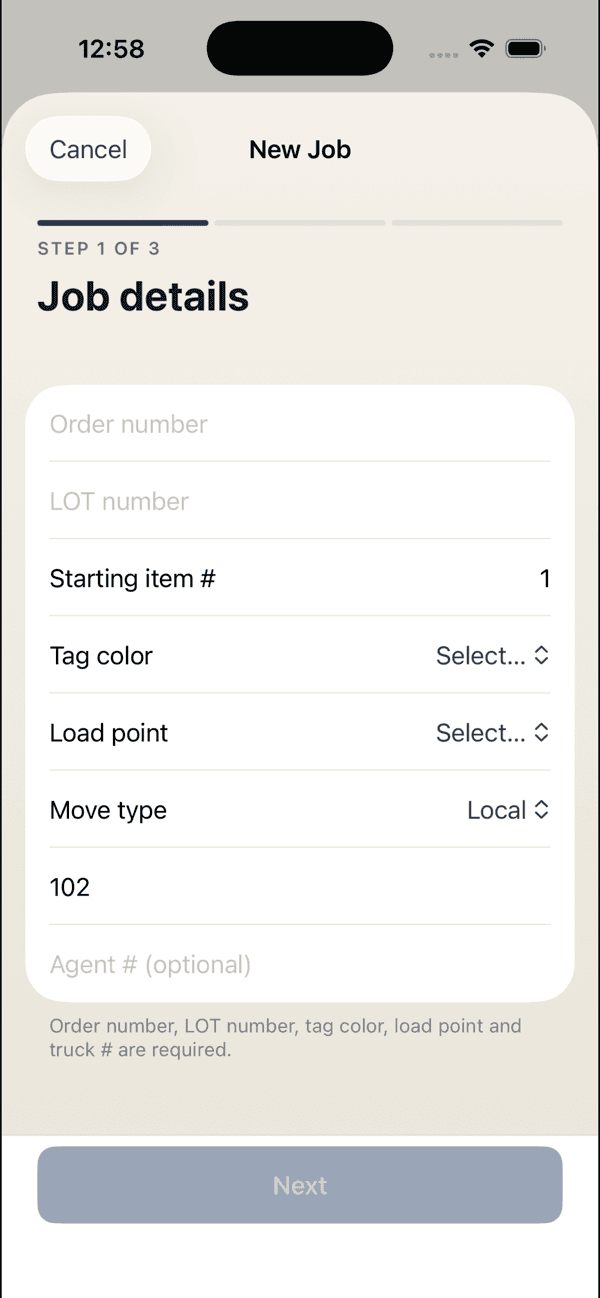
Job setup with van-line fields
Order number, LOT number, tag color, load point, move type, truck number. The new-job form asks for the same fields as the paperwork, because it becomes the paperwork. Set the starting item number and the app numbers every piece from there.
STEP 2 OF 5
Four ways to put a piece on the record
- Scan
- LiDAR captures the room and its objects.
- Speak
- Call out items hands-free while you keep moving.
- Photograph
- Snap an item and let the app identify and name it.
- Catalog
- Tap to add from a built-in library of furniture, appliances, electronics, and cartons.
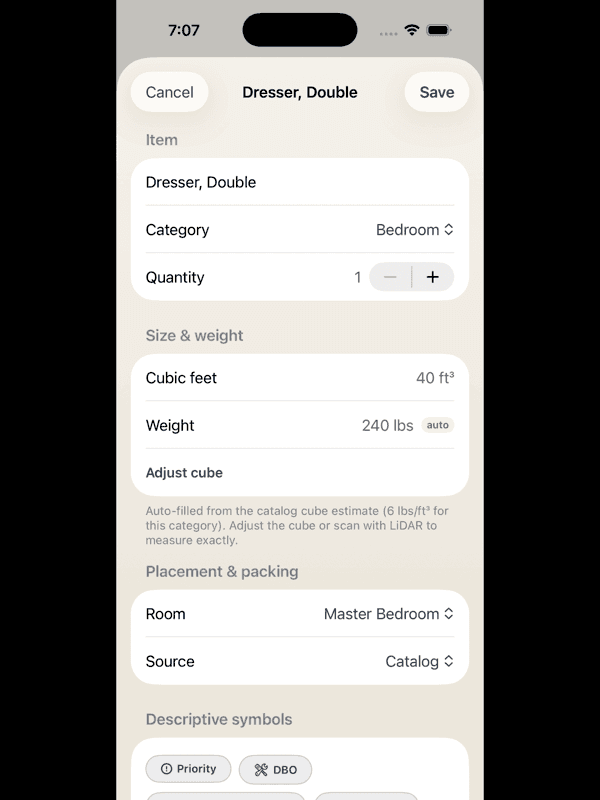
However it goes in, every piece gets a full record: cube and weight auto-filled from the catalog estimate, a LiDAR-measured cube when you want it exact, a room, and descriptive symbols. A double dresser is recorded at 40 cubic feet and an estimated 240 pounds without any typing.
STEP 3 OF 5
Pre-existing damage, in the codes you already write
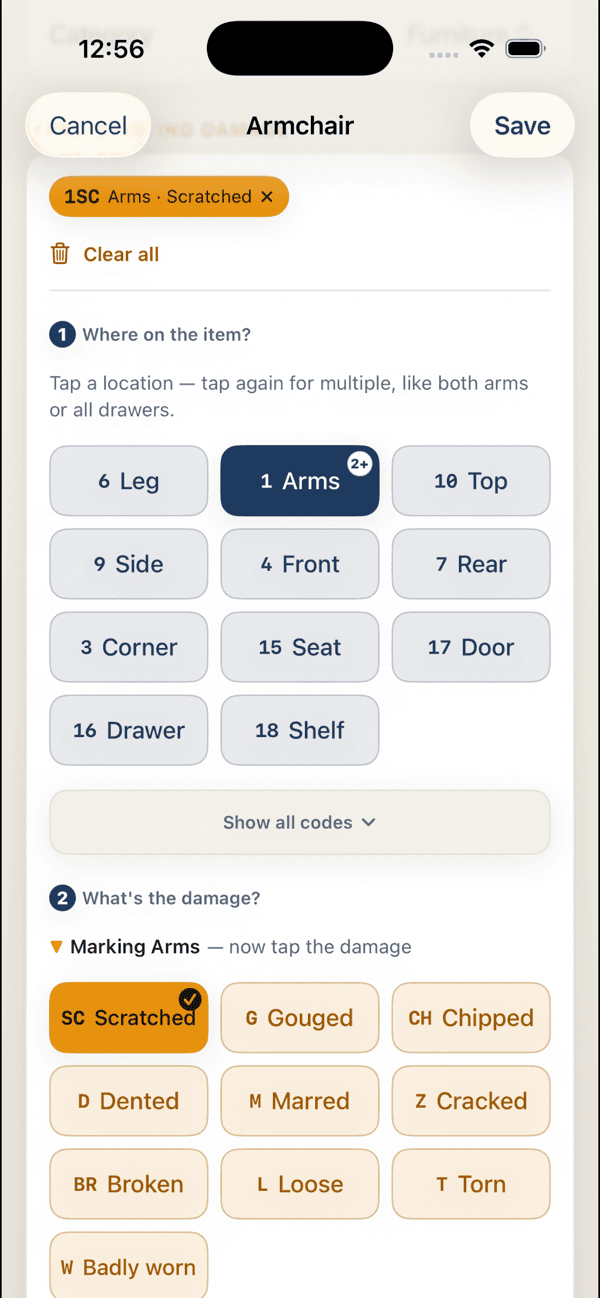
Photograph a piece and the app flags likely scratches, chips, dents, and wear in standard van-line location and condition codes. Every suggestion can be confirmed, edited, or rejected, and nothing goes on the record without a crew member's approval. Item numbers are permanent and never reused, and mistakes are voided rather than deleted.
STEP 4 OF 5
Live totals as you work
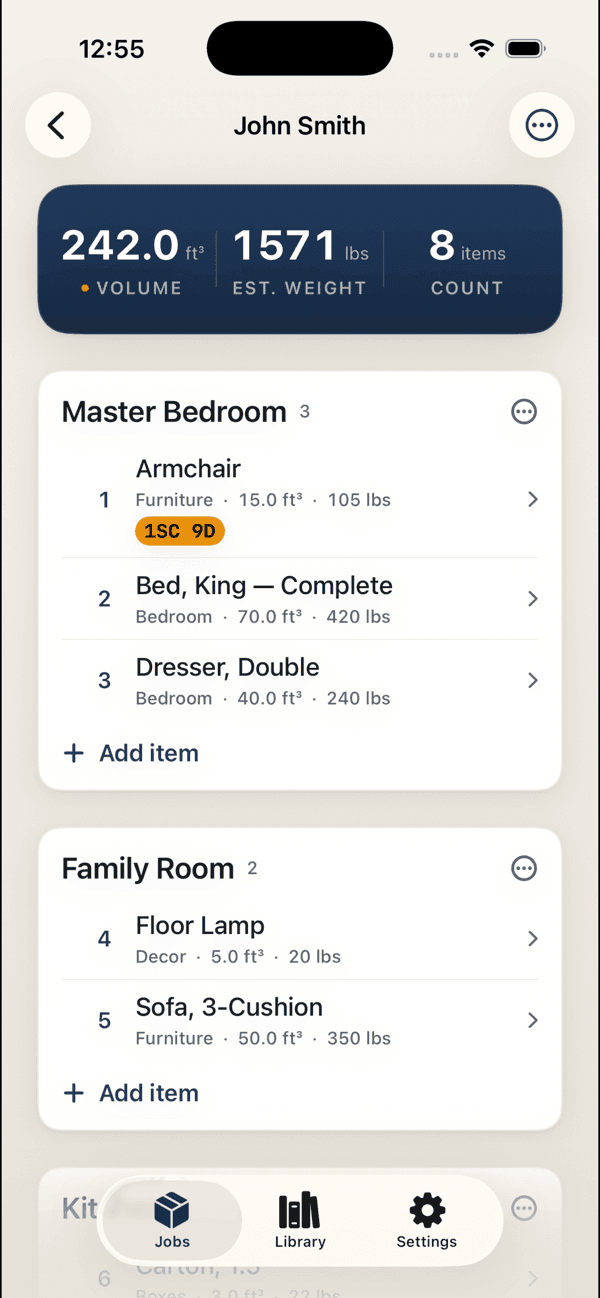
Cubic feet, estimated weight, and item count tally at the top of the job as you work. By the last room, the totals the office needs are already on the screen.
STEP 5 OF 5
Sign and export the finished PDF
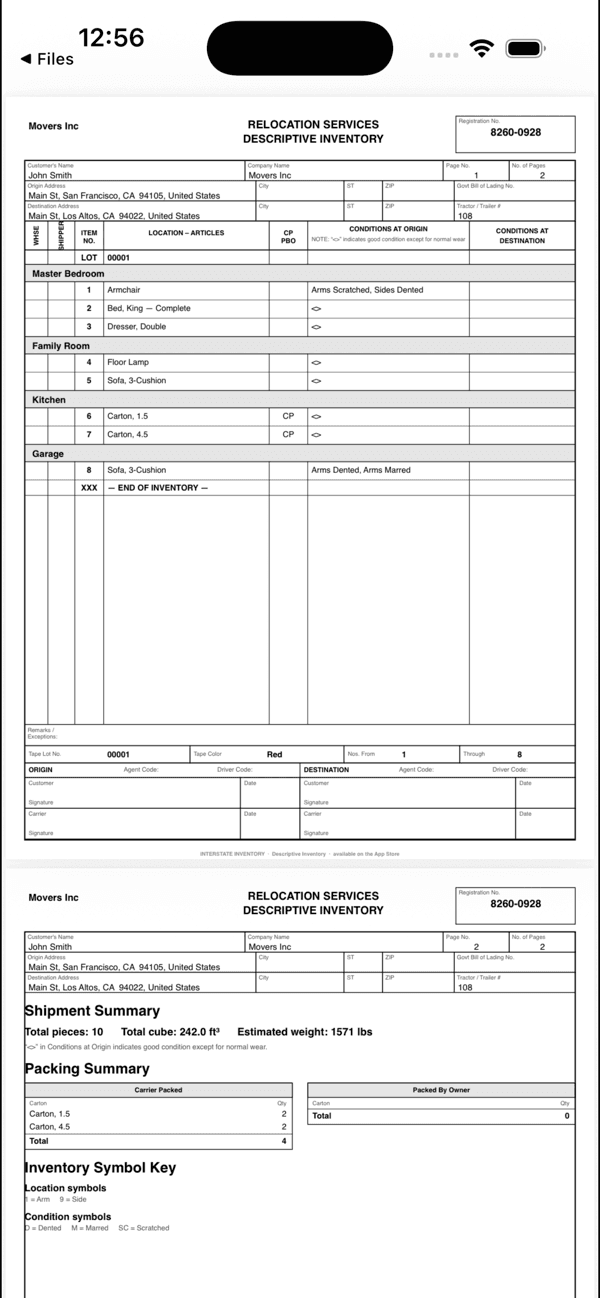
Finalize the job, capture the shipper's signature, and export the finished PDF: room-by-room itemization with per-piece numbers, measured floor plans from the LiDAR scan, the condition-photo appendix, and the signature block, all on your company's letterhead. Share it anywhere.
Also in the app
A company workspace
Set up the company once and invite crews with a simple join code. Every job lands in one shared library.
A searchable job library
Every job is saved and searchable by shipper name or order number.
A packing-carton catalog
Dish packs, wardrobes, and book cartons are counted and cubed the same way as furniture.
A built-in how-to guide
The manual ships inside the app, so a new crew member can learn it in the truck on the way over.
REQUIREMENTS
LiDAR room scanning requires an iPhone with a LiDAR sensor (iPhone 12 Pro or later). Manual entry, the item catalog, photo and voice capture, and PDF export work across supported iPhones. The app is free to download and use.
Design partners get in first.
We're onboarding a small group of moving companies and owner-operators who run real moves on the app and tell us what to fix. Partners use the Company tier free for six months.